


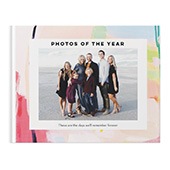



Making a photo book shouldn’t feel like a big project. Sometimes you just want to gather your favorite photos, turn them into something meaningful, and move on with your day.
The good news is that you don’t have to design every page from scratch to create something beautiful. Shutterfly includes built-in tools and shortcuts that make it easy to build a polished photo book in far less time than you might expect. Whether you want a quick starting point or prefer to hand things off to a designer, there are simple ways to streamline the entire process.
Below are the easiest ways to create a photo book quickly — without sacrificing quality.

1. Start with the Fastest Creation Option
The biggest time-saver happens before you even begin designing: choosing how you want to build your book.
Shutterfly offers three creation paths, and if speed is your goal, two stand out immediately.
Make It Fast
This option uses intuitive tools and optional autofill features to automatically place your photos into coordinated layouts. Instead of manually dragging images into every page, the system organizes them for you in seconds. From there, you can make quick tweaks — swap a photo, adjust a caption, or change a layout — without starting from a blank page.
It’s ideal when you want structure immediately and prefer editing over building.
Make It For Me (Free Designer Service)
If your main goal is efficiency, our free photo book designer service is the most hands-off option available. You upload your photos, share any notes or preferences, and a professional designer creates the book for you within 24 hours. Once it’s ready, you can review it as-is or open it to make small edits before ordering.
For anyone short on time — or simply not interested in arranging pages manually — this option eliminates the bulk of the design work entirely.
Make It Manually
If you prefer full control, you can still work page by page. But even here, there are ways to move faster, especially when paired with layout presets and autofill tools.
The key is choosing the approach that matches your timeline before you start building.
2. Prep Your Photos Before Opening the Builder
One of the easiest ways to speed up your project has nothing to do with design tools — it starts with preparation.
Going into the builder with a focused selection of photos dramatically reduces decision fatigue. Instead of uploading hundreds of images and sorting through them mid-design, create a dedicated folder ahead of time that includes only the photos you’re confident you want to use.
A few simple prep steps can save hours:
- Remove duplicates or near-duplicates
- Choose edited versions of photos instead of originals
- Group images by event or chapter if your book has sections
- Narrow your selection to a realistic number for your page count
For example, if you’re planning a 20-page book, you don’t need 300 images. A smaller, curated group keeps layouts clean and prevents overfilling spreads just to “fit everything in.”
When your photos are organized before you upload them, autofill works better, layouts feel more intentional, and the overall build moves significantly faster.
3. Use Smart Layout Shortcuts to Save Time
If you’re building the book yourself, the biggest time trap is over-designing every page.
Shutterfly’s layout presets are designed to do most of the heavy lifting. Instead of adjusting photo boxes one by one, start with a layout that already fits the number of photos you want on the page. If a spread looks close to right, keep it — swap images instead of rebuilding it.
A few easy shortcuts inside the builder can speed things up significantly:
- Use AI Auto-Fill to generate a complete first draft, then refine.
- Duplicate a page layout you like instead of recreating it.
- Keep similar pages consistent rather than redesigning every spread.
- Let full-page photos stand on their own instead of adding extra design elements.
Auto-Fill is especially useful because it organizes photos intelligently across pages. You’re not committing to the layout — you’re creating a starting point. From there, it’s faster to tweak than to build.
The goal isn’t perfection on every page. It’s flow. Once the structure is in place, small edits take minutes instead of hours.
4. Keep Design Decisions Simple
Speed often comes down to limiting how many decisions you make.
It’s easy to lose time changing fonts, switching background styles, or rearranging decorative elements on every page. Sticking with one template and letting it carry the visual consistency makes the book feel cohesive without extra effort.
Some simple ways to move faster:
- Use one font pairing throughout the book.
- Keep background colors consistent.
- Choose one layout style per section and repeat it.
- Avoid overcrowding pages with too many photos.
The more consistent your design choices are, the less time you’ll spend second-guessing them. A clean, simple book almost always looks more polished than one that tries to do too much.

5. When to Use the Designer for Maximum Efficiency
Sometimes the fastest option isn’t editing faster — it’s stepping out of the design process entirely.
With the Make It For Me option, a professional designer arranges your photos into a cohesive layout within 24 hours. You can provide notes, preferences, or a general idea of what you want, then review the finished book before ordering.
This works especially well when:
- You have a large volume of photos.
- You’re on a tight deadline.
- You don’t want to spend time arranging spreads.
- You’d prefer a polished draft you can lightly adjust.
You still retain control — you can open the file and edit it before purchasing — but the heavy design work is already done.
For many people, this turns what feels like a long project into something manageable.
Fast Doesn’t Mean Rushed
Creating a photo book quickly doesn’t mean cutting corners. With the right starting point, organized photos, and a few smart shortcuts, you can build something thoughtful and well-designed without spending hours refining every detail.
The tools are there to simplify the process — whether that means using Auto-Fill for a strong first draft, sticking with a cohesive template, or handing things off to a designer. When the structure supports you, finishing your book feels doable instead of overwhelming.
And once it’s done, you’ll be glad you didn’t overthink it — because the moments inside are what matter most.
Additional Resources:
- Shutterfly Photo Book Customization Options
- How to Make a Photo Book
- Photo Books vs. Photo Albums: What’s the Difference?
- Shutterfly Photo Books Guide: Common FAQs
- New Photo Book Designs
- Best Travel Photo Book Designs
- Best Wedding Photo Book Designs
- Best Photo Book Designs for Graduation
- Best Photo Book Designs for Mother’s Day
- Coffee Table Photo Book Ideas
- How to Make an Affordable Photo Book
- How to Get the Best Photo Book Deals
- How Many Photos Should be in a Photo Book?
