





Shutterfly makes the best photo calendars, with easy customization, useful planning features, and more calendar styles than Mixbook. Both brands offer personalized wall calendars, but Shutterfly gives you more ways to create a calendar that fits your life, from formats designed for different spaces to thoughtful tools that help you get every detail right. Here’s what sets Shutterfly apart.
Shutterfly vs. Mixbook Calendar Comparison at a Glance
| Feature | Shutterfly | Mixbook |
|---|---|---|
| Wall Calendars | Yes | Yes |
| Start Any Month | Yes | Yes |
| Custom Events & Important Dates | Yes | Yes |
| Upload Your Own Photos | Yes | Yes |
| Custom Text & Layouts | Yes | Yes |
| Desk Calendars | Yes | No |
| Easel Calendars | Yes | No |
| Calendar Magnets | Yes | No |
| Calendar Mouse Pads | Yes | No |
| Monthly Planners | Yes | No |
| Bulk Ordering Options | Yes | Yes |
More Ways to Create a Calendar That Fits Your Space
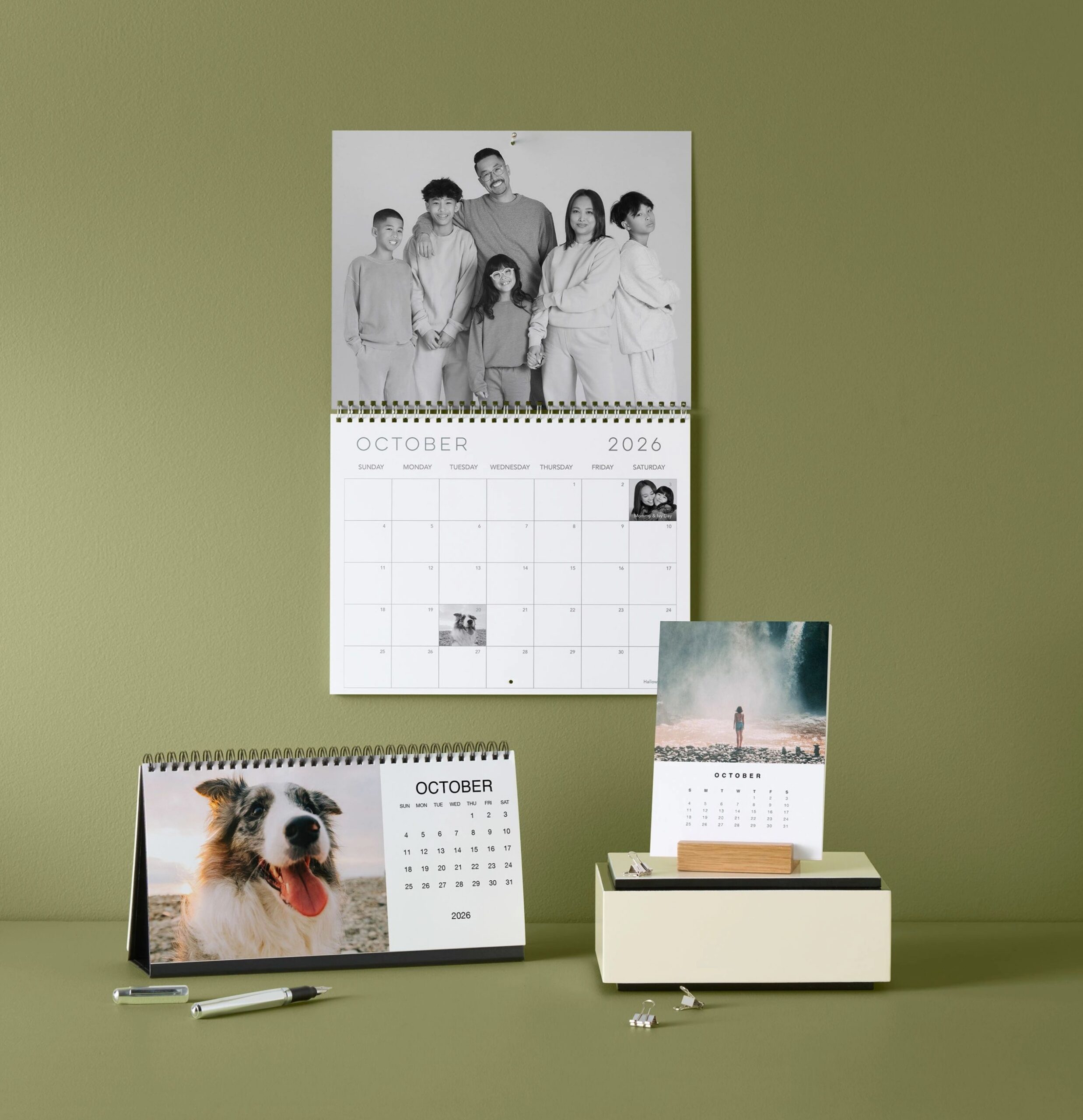
One of the biggest differences between Shutterfly and Mixbook is the variety of calendar formats available. Mixbook’s calendar offering is centered around wall calendars, while Shutterfly offers several ways to display your photos and stay organized throughout the year.
In addition to classic wall calendars, Shutterfly offers desk calendars, easel calendars, calendar magnets, calendar mouse pads, and monthly planners. That means you’re not limited to one calendar format. You can create a family command center for the kitchen, a personalized desk calendar for work, an easel calendar for a bookshelf or entryway, or yearly gifts for friends and family.
Start Your Calendar Any Month
Both Shutterfly and Mixbook allow you to start a calendar in any month of the year while still creating a full 12-month calendar. This flexibility makes custom calendars a great choice for birthdays, anniversaries, weddings, graduations, school years, and other milestones that don’t align with a traditional January-to-December calendar.
Personalize Every Month with Photos, Events, and Special Dates
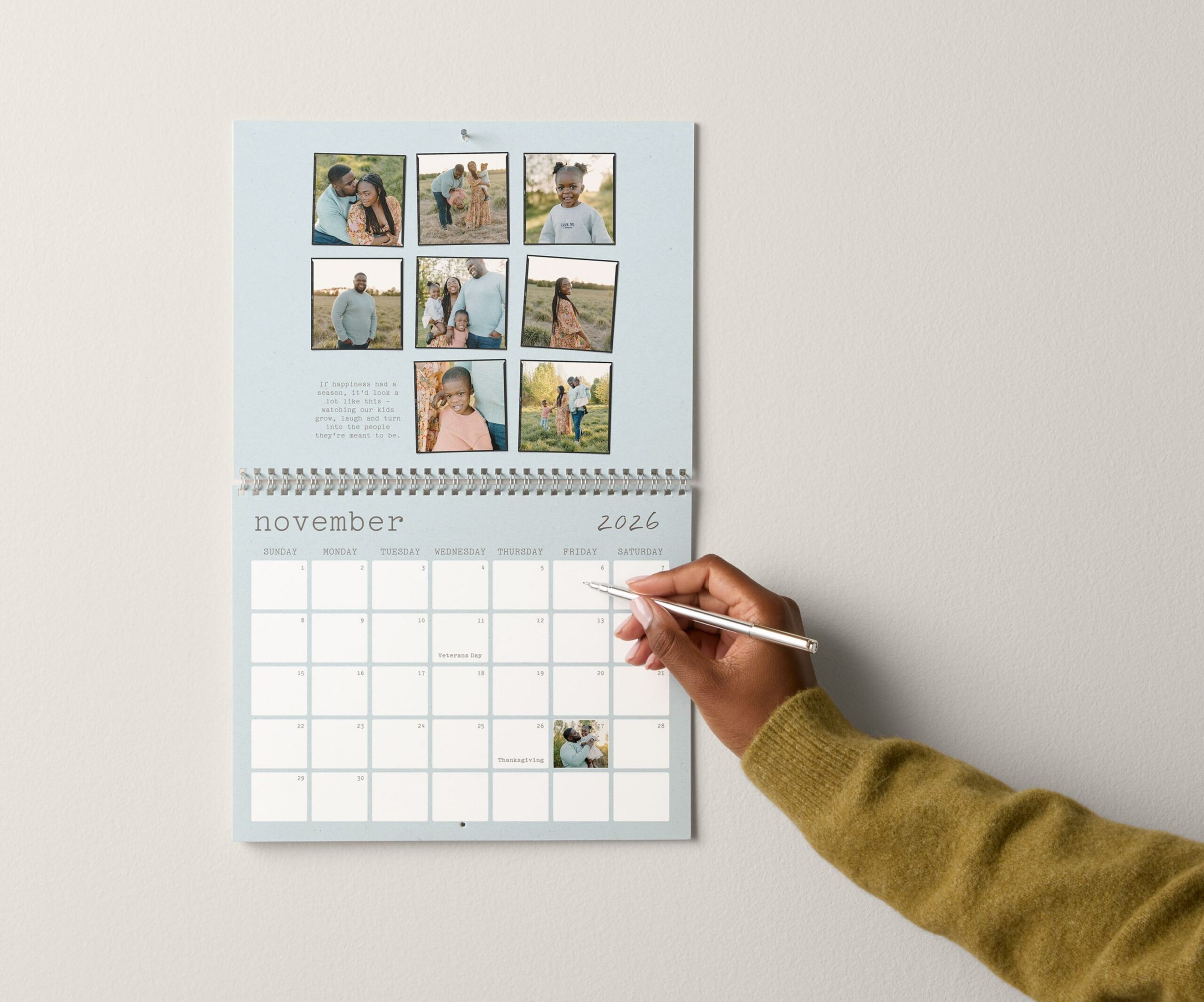
Beyond photos, both Shutterfly and Mixbook allow you to build important dates directly into your calendar. You can add birthdays, anniversaries, holidays, reminders, and other events to calendar dates, then save those details for future calendar projects. Instead of recreating important dates year after year, you can reuse them when it’s time to design your next calendar.
Shutterfly wall calendars also offer optional planning stickers, providing another way to keep track of appointments, celebrations, travel plans, and family activities throughout the year.
Easy Calendar Customization from Start to Finish

Both Shutterfly and Mixbook offer a variety of ways to personalize a photo calendar, including custom layouts, text, backgrounds, stickers, and photo editing tools. You can adjust photo placement, customize page layouts, and personalize each month with your own design details.
Shutterfly includes a few features that help simplify the editing process as you go. If you find a new template you like, you can switch designs without rebuilding your calendar from scratch. Built-in project checks also flag low-resolution photos and empty photo spaces before you order, helping you catch potential issues before your calendar goes to print.
Why Wirecutter Chose Shutterfly Calendars
In its testing of popular photo calendar services, Wirecutter selected the Shutterfly wall calendar as its top pick. The review highlighted photo quality, customization options, and the overall calendar experience.
Wirecutter also called out the large photo layouts and personalization features that allow customers to customize layouts, add text, and include important dates throughout the year. Together, those features help create a calendar that highlights favorite memories while still leaving room for birthdays, appointments, and other events.
Why We Recommend Shutterfly Photo Calendars
If you’re looking for a custom wall calendar, both Shutterfly and Mixbook offer strong personalization tools. However, we recommend Shutterfly for customers who want more ways to turn their photos into calendars, gifts, and planning tools that fit different spaces and everyday routines.
Frequently Asked Questions
Is Shutterfly or Mixbook better for photo calendars?
Both Shutterfly and Mixbook let you create personalized photo calendars with custom photos, layouts, text, and important dates. While both offer strong customization options, Shutterfly provides more calendar formats, from wall and desk calendars to planners and easel calendars, along with built-in tools that help you personalize important dates and create calendars for different spaces, occasions, and gifting needs.
Does Shutterfly offer more calendar styles than Mixbook?
Yes. In addition to wall calendars, Shutterfly offers desk calendars, easel calendars, calendar magnets, calendar mouse pads, and monthly planners. This gives customers more ways to create a calendar that fits their space and needs.
Can I start a photo calendar on any month?
Yes. Both Shutterfly and Mixbook allow you to choose your own starting month while still creating a full 12-month calendar.
Can I add birthdays and important events to a Shutterfly calendar?
Yes. Shutterfly wall calendars allow you to add birthdays, anniversaries, holidays, appointments, and other important events directly to calendar dates. You can also save event lists to reuse for future calendars.
Which photo calendar is best for gifts?
A personalized photo calendar can make a meaningful gift for family, friends, grandparents, teachers, and coworkers. Shutterfly offers several calendar formats, including wall, desk, and easel calendars, making it easy to choose a style that fits the recipient’s home, office, or daily routine.
Additional Resources:
