





Your favorite photos deserve more than a spot in your camera roll. That family portrait could be this year’s Christmas card, your vacation pictures could fill a photo book, and the snapshot that always makes you smile could become a canvas for your living room. If you’re an Amazon Prime member, your membership can help you save on bringing those ideas to life.
With your eligible Amazon Prime membership linked to Shutterfly, you get 45% off regular-priced items and free economy shipping on orders of $35 or more after discounts. Here’s how to connect your accounts, use your savings, and start making something you’ll love.
What Is the Shutterfly Amazon Prime Offer?
The Shutterfly Amazon Prime offer gives current Prime members ongoing savings on personalized products. Once your membership is linked, your member discount applies automatically to future purchases while you remain eligible. There’s no need to wait for a special shopping event to get started.
Before creating your first project, keep these details in mind:
- Member savings: Get 45% off regular-priced items, subject to offer exclusions.
- Shipping savings: Get free economy shipping on qualifying U.S. orders of $35 or more after discounts and before taxes.
- Active membership required: You must be a current Amazon Prime member at checkout.
- Promotion limits: The discount does not apply to sale prices or combine with other code-based percentage-off or dollar-off offers.
- Shipping limits: Free economy shipping does not cover other delivery methods or cards sent through mailing services. For orders with multiple recipients, the shipping discount applies to the shipment with the highest shipping cost.
See the Amazon Prime offer details for current terms and exclusions.
How to Link Amazon Prime to Shutterfly
Start by linking the Shutterfly account you want to use for your projects and purchases. Only U.S.-based Prime accounts qualify, and the primary Prime member can link one Shutterfly account. Household members cannot activate this benefit.
To link through your Shutterfly account:
- Sign in to Shutterfly.
- Open Hi, [Your Name], then Account & Settings.
- Find Memberships.
- Select Add beside Prime Membership.
- Sign in to Amazon when prompted and complete the linking process.
You can also begin at the Shutterfly Amazon Prime offer by selecting Login with Amazon to link accounts.
How to Use Your Amazon Prime Discount at Checkout
Once your accounts are connected, create your project and add it to your cart. Your Prime discount applies automatically, without a promo code. Before ordering, review your savings, shipping method, and final total.
If you have another offer you’d like to use, you can enter its promo code directly in your cart. You can also save promo codes to your account under My Promotions for future use. The Prime discount cannot be combined with other Shutterfly sales or promo codes, so compare your final total, including shipping, before choosing an offer.
For free economy shipping, your qualifying order must reach $35 after discounts and before taxes. For example, $60 in eligible regular-priced products would total $33 after a 45% discount, putting that order below the shipping minimum. Check your discounted subtotal to see if your order qualifies before checking out.
How to Add Amazon Photos to a Shutterfly Project
Have favorite pictures saved in Amazon Photos? When adding images to your project, select Amazon Photos, sign in, and grant access. Choose the pictures you want to import; the originals remain in Amazon Photos.
Connecting Amazon Photos lets you bring pictures into your projects, but it does not activate your Prime savings. To receive the member discount, link your eligible Prime membership separately using the steps above. You can use the benefit with photos uploaded from your phone, computer, or other supported sources, too.
Before designing, gather pictures around one occasion or idea. A collection of this year’s family highlights makes a great starting point for holiday cards and gifts, while travel favorites can inspire a book you’ll reach for long after you’ve unpacked. Include candid moments along with posed portraits to give your project more personality.
Best Photo Projects to Make With Your Amazon Prime Savings
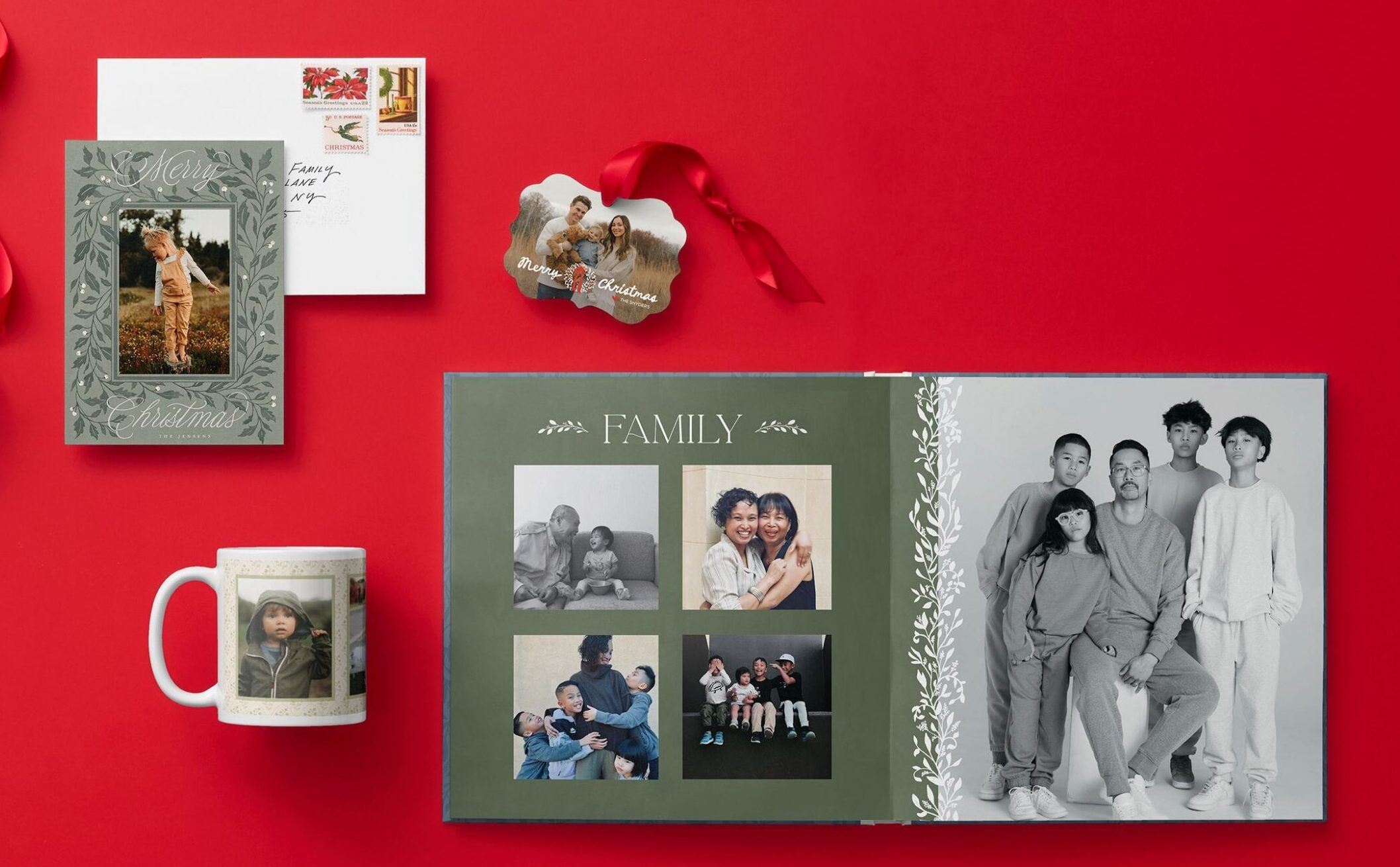
Start with a photo you love or someone you’d love to surprise. A single standout picture can become a beautiful gift, while a larger collection gives you plenty of material for telling a story. These favorite Shutterfly projects offer inspiration for the holidays and everyday occasions.
Christmas Cards That Share Your Year
Turn your favorite family photo into a greeting everyone on your list will be excited to open. Choose a Christmas card design that complements your pictures, then add your names and a message that sounds like you. A family portrait is a classic choice, but a candid laugh, a new puppy, or a snapshot of your first home can be just as memorable.
If choosing one picture feels impossible, make room for several favorites. Pair a group photo with smaller moments, such as a summer adventure or your little one’s first day of school. Together, they give loved ones a glimpse of the year you’ve shared.
Photo Books That Tell the Whole Story
Some memories need more than a single frame. Create a photo book around a vacation, a wedding, your baby’s first year, or the everyday moments that made this year yours. Start with a clear theme, then arrange your pictures in an order that helps the story unfold.
Add names, dates, and short captions to remember the details behind each photo. You might include the restaurant everyone loved on vacation or a funny phrase your toddler kept saying. Those little notes can become some of your favorite parts of the book.
Canvas Prints for Photos You Want to See Every Day
Give that favorite picture a place in your home with a personalized canvas print. A scenic vacation photo can bring back the feeling of a favorite getaway, while a family portrait adds warmth to a hallway or living room. Choose the photo with your display space in mind so its colors, shape, and subject feel at home.
Before ordering, review how the image fits the canvas. Leave room around faces and other important details, and check the crop carefully. A little attention here helps your favorite part of the picture stay front and center.
Custom Calendars Filled With Familiar Faces
Make the coming year more personal with a photo calendar featuring the people, pets, and places you love. Match beach pictures to summer months, pumpkin patch visits to fall, and cozy family moments to winter. Or devote the whole calendar to one favorite subject, such as the grandchildren or the family dog.
Calendars are especially sweet gifts for relatives who love getting new photos. Gather a mix of recent portraits and candid pictures so each month brings something different. You can make choosing the photos a family activity and let everyone nominate a favorite.
Photo Ornaments That Celebrate a Milestone
A photo ornament gives a favorite moment a place on the tree year after year. Celebrate a first Christmas together, a new baby, a graduation, or a beloved pet with a picture that captures the occasion. Add a name or year where the design allows to help tell its story.
You can start a tradition by creating a new ornament each holiday season. Choose one moment that defined the year, then watch your collection grow alongside your family. A matching ornament for a grandparent or newly married couple makes a thoughtful gift, too.
Photo Prints for Albums and Everyday Displays
Sometimes the best project starts with simply printing the pictures you keep meaning to enjoy. Gather favorites for a family album, refresh the photos on your desk, or tuck a picture into a card for someone you miss. Choose a mix of big occasions and ordinary moments so your collection feels like your life.
Prints are a lovely way to share photos with relatives who would enjoy a physical copy. Add a handwritten note explaining when the picture was taken or what made that day special. For this benefit, order prints for delivery; in-store pickup and 4×4 and 4×6 prints ordered through the app are excluded.
FAQs
Do I need a promo code for the Shutterfly Amazon Prime offer?
No. Once you link your eligible Amazon Prime membership to your Shutterfly account, your member discount applies automatically. Review your cart before ordering to confirm the selected offer and your savings.
Do I have to use Amazon Photos to get the discount?
No. Linking your eligible Prime membership activates the savings, and you can create projects with photos uploaded from other supported sources. Connecting Amazon Photos is a separate option for importing pictures into your projects.
Why isn’t my Amazon Prime discount appearing?
Check that you’re signed in to the Shutterfly account linked to your active Prime membership. Review the offer exclusions and open Manage Promos to see which promotion is selected. If you need help connecting your accounts, contact Shutterfly Customer Care.
Does the offer include free two-day shipping?
The offer includes free economy shipping on qualifying U.S. orders of $35 or more after discounts and before taxes. Other shipping methods are excluded. Review the delivery options and estimated arrival dates at checkout before placing your order.
Make More of Your Favorite Photos With Shutterfly
The pictures are already full of stories. Now you can give them a place on your holiday cards, your coffee table, your walls, or your family’s Christmas tree. Link your Amazon Prime membership to Shutterfly, pick a favorite memory, and enjoy turning it into something you can hold, display, or share.
Additional Resources:
- How to Make Holiday Cards With Your Amazon Photos
- How to Upload Photos to Shutterfly
- How to Find the Best Shutterfly Promo Codes & Deals
- How to Find Shutterfly Photo Book Deals
- How to Find Canvas Print Deals
- How to Find Christmas Card Deals
- How to Find Photo Ornament Deals
- How to Find Custom Calendar Deals
